IP cameras do not use tape. They do not need a clunky DVR. They stream 4K video to your phone, send alerts with AI accuracy, and record continuously without degrading. Here is everything you need to know before you buy one.
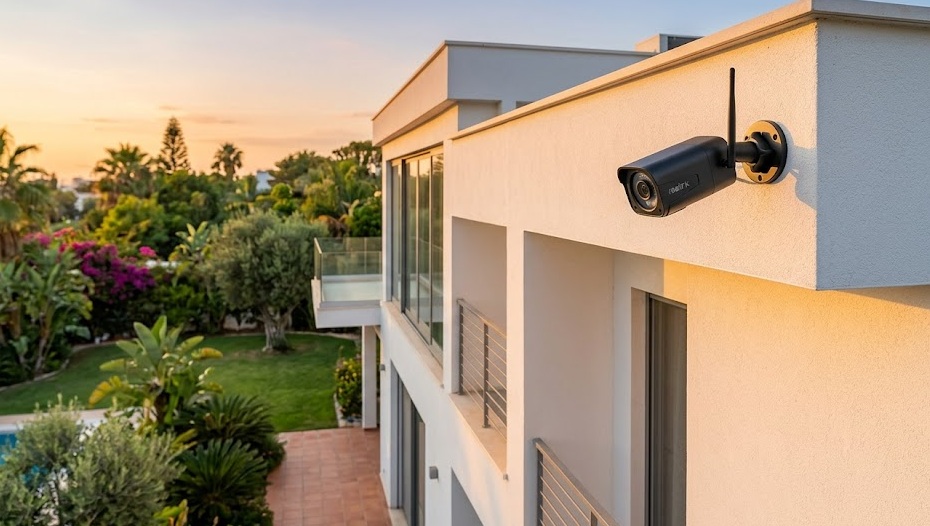
An IP camera is a digital security camera that sends video over a network — Wi-Fi or Ethernet — directly to your phone, NVR, or cloud. Unlike analog cameras, IP cameras deliver 4K resolution, AI-powered motion detection that reduces false alarms by up to 85%, night vision up to 150 feet, two-way audio, and remote access from anywhere. In 2026, they are the only type of security camera worth buying.
Traditional cameras convert light into an analog signal and send it over a coaxial cable to a recording device. Every step of that process degrades the image quality.
IP cameras work differently. They digitize the image inside the camera itself — at full quality — and transmit a compressed digital stream over a standard network. The camera gets its own IP address on your network. From that moment, it behaves like any other networked device. You access it from a browser, an app, or an NVR software interface — from anywhere with an internet connection.
Recording goes to an NVR (Network Video Recorder), a cloud server, a local MicroSD card, or all three simultaneously. Nothing is lost in translation. What the camera sees is exactly what you get.
| Feature | IP Camera | Analog Camera |
|---|---|---|
| Resolution | 1080p to 4K (2–8 MP) | 720p maximum (analog HD) |
| Cabling | Ethernet or Wi-Fi | Coaxial cable to DVR |
| Remote access | Yes — phone, browser, anywhere | Requires additional hardware setup |
| Two-way audio | Built in on most models | Not standard |
| AI detection | Person, vehicle, animal, loitering | No |
| Night vision range | Up to 150 feet (IR) or color | Up to 100 feet (IR only) |
| Face ID distance | 40–70 feet (4K) | 10–15 feet maximum |
| Encryption | SSL/TLS — standard | None |
| Installation complexity | Plug-and-play (wireless) or single Ethernet cable (PoE) | Coax to DVR in every room |
| Scalability | Add cameras to existing network | Requires additional DVR channels |
Analog systems are not just outdated — they are actively worse at the job. A 4K IP camera identifies faces at 40 feet. An analog camera struggles to identify faces at 15 feet. After an incident, that difference determines whether you can actually use your footage.
Both are IP cameras. The difference is how they connect to your network — and it matters for reliability.
A single Ethernet cable carries both power and data. No separate power adapter needed. No Wi-Fi signal to drop out. The camera is always on, always recording, always accessible. PoE is the professional standard for permanent home security installations.
Choose PoE if: You are installing more than 4 cameras. You need 24/7 continuous recording. You want maximum reliability and you are OK running a cable to each camera location.
No cable required. Mount anywhere within Wi-Fi range. Battery-powered wireless cameras offer even more flexibility — no outlet needed either. The tradeoff: Wi-Fi cameras are affected by signal strength, interference, and router congestion. A dropped Wi-Fi connection means a gap in your recording.
Choose wireless if: You are installing fewer than 8 cameras. Your Wi-Fi coverage is strong and consistent. You want DIY installation without running cables. You are renting and need to move cameras easily.
| Factor | PoE (Wired) | Wireless Wi-Fi |
|---|---|---|
| Reliability | Excellent — wired connection | Good — depends on Wi-Fi quality |
| Installation | Cable run required | Plug-and-play |
| Power | Cable provides power | Outlet or battery required |
| Best for | Permanent home, business | Renters, small setups, flexibility |
| Interference | None | Possible (Wi-Fi congestion) |
| Cost | Higher (NVR + switch needed) | Lower upfront cost |
Modern IP cameras do not just detect movement — they classify it. Person, vehicle, animal, package. AI analytics reduce false alarms by 85% compared to basic motion sensors. Behavioral detection (loitering, entering a restricted zone) adds another layer. This matters most for outdoor cameras facing streets or driveways.
4K cameras capture 8.3 megapixels — four times the detail of 1080p. The practical benefit: you can digitally zoom in on recorded footage and still identify faces, license plates, and clothing details. A 4K camera covers 40–70 feet clearly. A 1080p camera tops out at 20–30 feet.
Infrared night vision shows clear footage in black and white. Color night vision cameras add a spotlight or use starlight sensors to capture actual colors — making it far easier to describe an intruder's clothing or identify a vehicle color from footage. If budget allows, color night vision is worth the premium.
H.265 (also called HEVC) compresses 4K video while maintaining quality. The result: 50% smaller file sizes compared to H.264. A 1 TB drive holds twice as much footage. Bandwidth usage on your network drops. Any 4K IP camera worth buying should support H.265 in 2026.
IP cameras are network-connected devices. That makes them potential attack surfaces. Look for cameras that use SSL/TLS encryption during transmission and AES-256 encryption for stored footage. Avoid cameras from unknown brands that do not clearly document their security practices.
Cheap no-name IP cameras are frequently found to have default passwords that are never changed, unencrypted video streams, and backdoor access vulnerabilities. In 2025, thousands of home cameras were compromised because owners never changed factory passwords. Always change the default password immediately after setup and keep firmware updated.
2K resolution, color night vision, AI person and motion detection, two-way audio. 14-day free event cloud storage. MicroSD local recording slot. No mandatory subscription. The best-value wireless IP camera available in 2026 for home use.
Dual-lens (wide + telephoto in one unit). 4K. Solar panel charging — zero ongoing power cost outdoors. Local storage included with no cloud subscription required. IP67 weatherproofing. AI person detection. The most complete outdoor wireless IP camera under $150.
4-camera 4K PoE system with NVR. Single Ethernet cable per camera. 2 TB HDD included. AI person and vehicle detection. 24/7 continuous recording. 100-foot night vision. Best entry into professional-grade home IP camera security without a monthly fee.
Familiar face alerts, package detection, vehicle detection. Intelligent alerts distinguish a person walking from a car driving by. Works within Google Home ecosystem. 3-hour free event history. Nest Aware plan adds 30-day history and more AI events. Best in class for smart alert accuracy.
An IP camera on your network is a door. Leave it unlocked and someone will eventually walk through it.
Every IP camera ships with a default username and password (often "admin" / "admin" or "admin" / "12345"). These are publicly listed for every camera model. Change both to a strong, unique combination the moment you set the camera up.
If the camera's app or web interface supports 2FA, turn it on. A compromised password is not enough to access your cameras if a second factor is required.
Manufacturers patch security vulnerabilities through firmware updates. Enable automatic updates if available. Check manually every 3–6 months for brands that do not push automatic updates.
Advanced setup — but effective. A VLAN (Virtual Local Area Network) isolates your cameras from your main network. If a camera is compromised, the attacker cannot reach your computers or phones. Most modern routers support this feature in their settings.
Whether you want a single wireless camera for your front door or a full 4K PoE system for your property, the right IP camera exists at every budget. Start with one camera and expand from there.
See the Full 4K vs. 1080p Guide →