Unity dropped JavaScript support in 2017. C# is now the only language for Unity scripting. Here's what that means for you, what the code looks like, and the fastest path to your first working game.
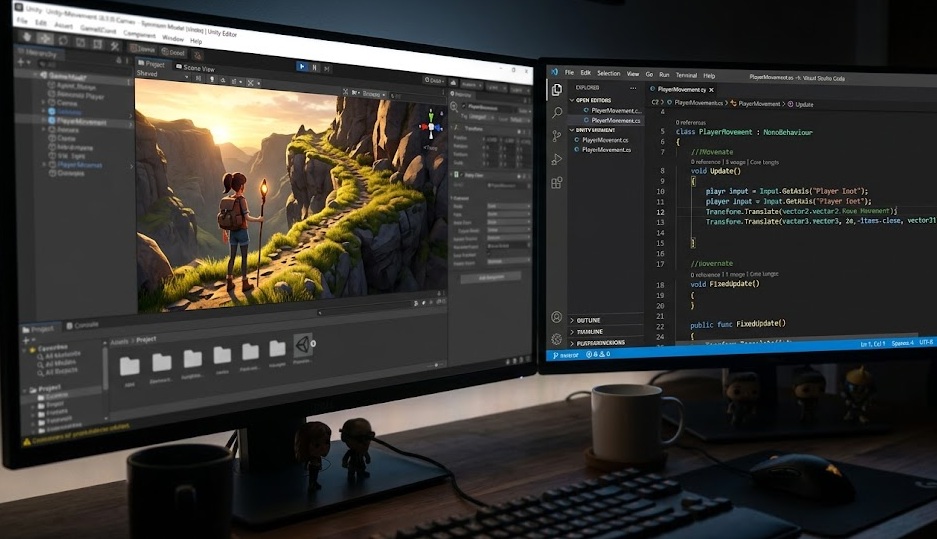
Unity uses C# (C-Sharp) as its only supported scripting language. Unity previously supported JavaScript (called UnityScript) and Boo, but removed both in 2017. All Unity scripts are written in C#. You write code in an external editor — Visual Studio, VS Code, or JetBrains Rider — and Unity runs it via its game engine. You do not need to know C# before starting; most beginners learn C# and Unity together.
Unity switched to C# as its sole language because of two things: performance and ecosystem.
C# runs on the .NET runtime (and Unity's custom Mono/IL2CPP variants), which compiles to native machine code. That performance matters for games — you need physics, rendering, and game logic all running at 60+ frames per second.
C# is also backed by Microsoft with a massive ecosystem, excellent tooling (Visual Studio), and a large developer community. When Unity needed to pick one language for its entire platform, C# was the clear winner over its experimental alternatives.
Unity's "JavaScript" was never real JavaScript — it was a custom language called UnityScript that just looked similar. Unity deprecated it in Unity 2017.1 and removed it entirely in 2017.2. Any tutorials using "JavaScript" in Unity are outdated. Skip them. C# is the only path forward.
Every Unity script is a C# class that inherits from MonoBehaviour. Unity automatically calls two key methods: Start() runs once when the game object loads, and Update() runs every frame.
Here's a complete script that moves a game object left and right using keyboard input — the kind of thing you write in your first week:
using UnityEngine;

public class PlayerMovement : MonoBehaviour
{
    public float speed = 5f;

    void Update()
    {
        float moveX = Input.GetAxis("Horizontal");
        transform.Translate(moveX * speed * Time.deltaTime, 0, 0);
    }
}
What each line does:
using UnityEngine — imports all Unity classes and methodspublic float speed = 5f — a variable you can adjust in the Unity Inspector without rewriting codeInput.GetAxis("Horizontal") — returns -1 (left), 0 (still), or 1 (right) based on arrow keys or WASDtransform.Translate — moves the game object by that amount each frameTime.deltaTime — ensures movement speed is consistent regardless of frame rateThat is functional game code. It runs. You can attach it to any object in Unity right now and control it with a keyboard.
You do not need to master all of C# to build Unity games. Here are the concepts that appear in 90% of Unity scripts:
| C# Concept | Unity Use | Priority |
|---|---|---|
| Variables & data types | Store health, speed, score, timers | Essential |
| Functions / methods | Start(), Update(), custom actions | Essential |
| Conditionals (if/else) | Collision checks, health = 0, game over | Essential |
| Loops (for, while) | Spawning enemies, iterating lists | Essential |
| Classes & objects | Every Unity script is a class | Essential |
| Coroutines | Delays, timed sequences, wave spawning | Important |
| Events & delegates | UI buttons, game state changes | Intermediate |
| Interfaces | Damage systems, interaction systems | Advanced |
The most common mistake new Unity developers make: spending 3 months studying C# before touching Unity. You do not need months of pure C#. Learn the essentials in 2–3 weeks, open Unity, and build something broken. You will learn faster from fixing real errors than from any tutorial.
| Unity | Unreal Engine | |
|---|---|---|
| Primary language | C# | C++ (+ Blueprints visual scripting) |
| Beginner friendliness | Higher | Lower |
| Performance ceiling | High | Very high |
| 2D game support | Excellent | Limited |
| 3D visual fidelity | Good | Outstanding |
| Best for | Indie, mobile, 2D, first games | AAA 3D, film, high-fidelity |
| Job market | Large (indie + enterprise) | Smaller (AAA focused) |
For most beginners, Unity + C# is the faster path to a shipped game. Unreal's Blueprints visual system is beginner-friendly for prototyping, but any serious Unreal project requires C++, which has a steeper learning curve than C#.
Variables, functions, loops, conditionals, classes. Use Microsoft's free C# documentation or a free Unity Learn course. You do not need arrays, LINQ, or advanced OOP yet.
Download Unity Hub at unity.com. Install the latest LTS (Long Term Support) version. Create a 2D project. Do not start with 3D — 2D projects have fewer variables to manage while learning.
Create a sprite. Attach a C# script. Make it move with arrow keys. This is your first functional Unity game object. It sounds simple — it teaches you the entire MonoBehaviour lifecycle.
OnCollisionEnter(), OnTriggerEnter(), and a simple UI score counter. Now you have the skeleton of every 2D game ever made.
Pick one simple game type — Pong, a clicker, a simple platformer. Build it from scratch, including a start screen, game over screen, and restart button. Finish it. A finished simple game teaches more than an abandoned complex one.
Official Unity tutorials, completely free. The "Junior Programmer" pathway teaches C# and Unity concepts in sequence. Structured for complete beginners with no coding background.
The official C# reference at learn.microsoft.com/dotnet/csharp is the most accurate source for the language. Free, searchable, and updated with every C# version.
The most-watched Unity tutorial channel. Over 7 million subscribers. Tutorials are clear, project-based, and beginner-friendly. An excellent supplement to Unity Learn.
Paid but frequently discounted to under $20. The "Complete C# Unity Game Developer 2D" course is one of the highest-rated programming courses on the platform — 700,000+ students.
Unity is free for personal use and revenue under $200,000/year. Download Unity Hub and install the LTS version — your first moving sprite is 30 minutes away.
Download Unity Free