There is no single best language for games. There is a best language for your type of game, your experience level, and what you want to ship. Here's the honest breakdown — no agenda.
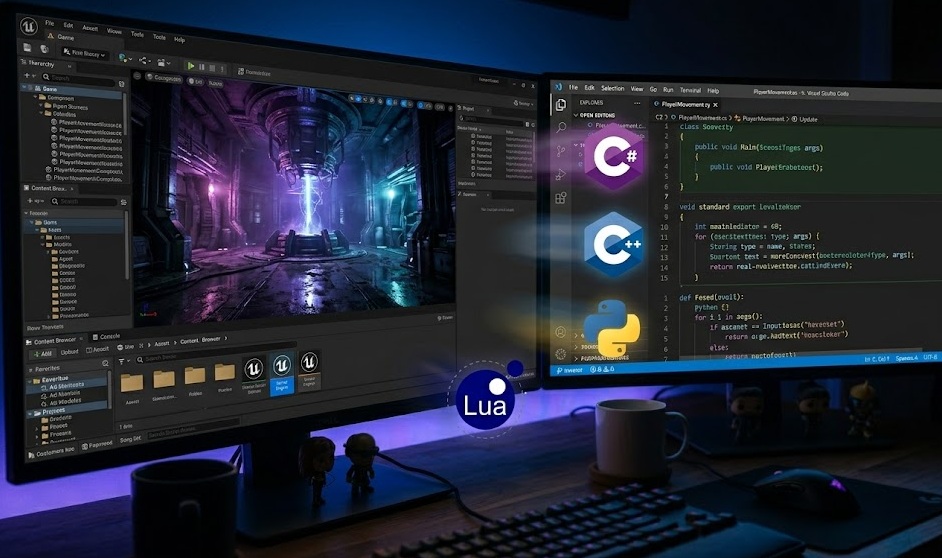
For beginners: C# with Unity or GDScript with Godot. For AAA/professional studios: C++ with Unreal Engine. For prototyping and 2D games: Python (Pygame) or GDScript. For game scripting/modding: Lua. The language matters less than the engine — pick your engine first, then learn its language. Most successful indie games on Steam were built with Unity (C#) or Godot (GDScript).
Most beginners ask "which language should I learn for games?" But that is the wrong first question.
The right question is: "which engine do I want to use?" Every major engine dictates its own language. Pick the engine that fits your goals. The language comes with it.
| Engine | Language | Best For |
|---|---|---|
| Unity | C# | Indie games, mobile, 2D & 3D, beginners |
| Unreal Engine | C++ + Blueprints | AAA 3D, high fidelity, professional studios |
| Godot | GDScript (+ C#, C++) | 2D games, open-source, lightweight projects |
| Pygame (Python) | Python | 2D prototypes, learning, simple games |
| Roblox | Lua | Browser games, modding, younger developers |
| GameMaker | GML (proprietary) | 2D indie games, beginners |
C# is the language of Unity — the engine behind an estimated 50% of all mobile games and a dominant share of indie titles on Steam. Learning C# means learning Unity, and learning Unity means access to the largest game development community in the world.
C# strikes the right balance: it is strict enough to build large, maintainable codebases, but readable enough that beginners can understand their own code. It is statically typed (you declare variable types), which prevents common runtime errors.
Real games made with Unity + C#: Hollow Knight, Cuphead, Ori and the Blind Forest, Monument Valley, Pokémon Go.
C# is not only a game language. It is used for Windows desktop apps, web backends (ASP.NET), enterprise software, and cross-platform mobile apps (MAUI). Learning C# for games gives you a language that transfers to other career paths.
C++ gives you direct control over memory. No garbage collector, no managed runtime — you allocate and free memory yourself. This is why game engines are written in C++. At the scale of a AAA game running complex physics, audio, rendering, and AI simultaneously at 60 FPS, every millisecond matters.
Unreal Engine is built in C++. If your goal is to work at a major studio — EA, Ubisoft, Epic Games, Rockstar — C++ is non-negotiable. Most AAA gameplay, engine, and tools engineers use C++ daily.
Real games made with C++: Fortnite, GTA V, The Witcher 3, Cyberpunk 2077, most Call of Duty titles.
C++ is the right language for the right goal — not the right starting point. Memory management errors in C++ cause crashes and security vulnerabilities that take experienced engineers hours to debug. Start with C# or GDScript. Come back to C++ when you have shipped a game and understand what you need to optimize.
GDScript is Godot's native scripting language. It looks like Python — clean, indentation-based, minimal syntax — but it is designed specifically for game development. Every type in GDScript is a game-relevant type: Vector2, Node, Signal, CollisionShape2D.
Godot became a serious alternative to Unity in 2023 when Unity announced controversial pricing changes. Godot's user base grew significantly. Its 2D tools are arguably better than Unity's, and its open-source nature means no licensing fees ever.
Real games made with Godot + GDScript: Cassette Beasts, Dome Keeper, Rogue State Revolution.
Python's simplicity makes it attractive. But Python's interpreter speed is simply too slow for real-time 3D games and even demanding 2D games. Pygame works for simple 2D projects — but you cannot export a Pygame game to mobile, console, or the web without enormous additional tooling.
Python is the right choice if your goal is to learn programming logic using game concepts, or to prototype a game idea quickly before rebuilding it in a real engine. It is not a path to shipping a commercial game.
Lua is a lightweight scripting language embedded in many game engines and games. Roblox uses Lua. World of Warcraft's entire addon system is Lua. Defold (a 2D engine) uses Lua. Many game engines let modders extend functionality with Lua scripts.
Lua is not a path to building standalone games from scratch. It is the language you learn to mod existing games, build Roblox experiences, or extend an engine that embeds Lua as its scripting layer.
| Language | Engine | Difficulty | Performance | Can Ship to Mobile | Best For |
|---|---|---|---|---|---|
| C# | Unity | Medium | Fast | Yes | Indie, mobile, 2D & 3D |
| C++ | Unreal | High | Fastest | Yes | AAA, engine dev |
| GDScript | Godot | Low–Med | Good | Yes | 2D, indie, open-source |
| Python | Pygame | Low | Limited | No | Prototypes, learning |
| Lua | Roblox, Defold | Low | Fast (scripting) | Via Roblox | Modding, scripting |
| JavaScript | Phaser, Babylon.js | Medium | Moderate | Via web | Browser games |
Start with GDScript + Godot or C# + Unity. GDScript is easier. Unity has more tutorials.
Learn C# first to ship something, then learn C++ for engine/AAA roles.
C# + Unity is the most direct path. Unity has the best mobile export pipeline.
Start with GDScript — its syntax is nearly identical to Python, but it's actually built for games.
Learn Lua for Roblox or WoW mods. Lua is embedded in most games that support scripting.
Start with Unreal Blueprints to learn the engine, then move to C++ for performance-critical code.
Finish one small game before anything else. The language debate paralyzes more beginners than syntax ever does. Pick C# or GDScript. Open the engine. Build something that can start, play, and end. A finished bad game teaches more than an abandoned perfect-language plan.
Pick Unity (C#) or Godot (GDScript). Download it. Build a game object that moves on screen today. Every successful game developer started exactly there.
Start with Unity + C# →