Screen Cracked Phone: What to Do Right Now
That sick feeling when your phone hits the floor face-down. Here's exactly what to do next — and how to avoid making it worse.
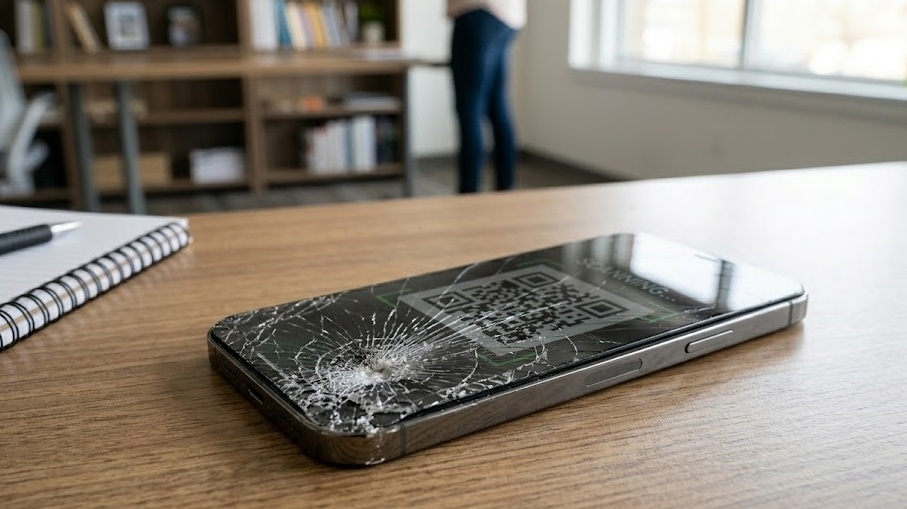
If your phone screen just cracked, apply clear tape over the crack immediately to stop glass from spreading and protect your fingers. Then assess the damage: surface-only cracks are cosmetic, but cracks reaching the LCD layer need repair soon. Your data is safe regardless — back it up now before anything gets worse.
What's in this guide
Assess the Damage First
You picked it up. Your stomach dropped. Now what?
The first thing is: don't panic, and don't immediately start tapping the screen to "test it." Every tap on broken glass can deepen the crack. Take a breath, flip it over, and do a quick visual assessment before doing anything else.
There are really two types of cracked phone screens, and they have very different implications. A surface crack (just the top glass layer) is annoying but manageable. An LCD crack — where you see dark blotches, bleeding color, or dead zones — means the actual display panel is damaged, and that's a different situation entirely.
Quick Damage Assessment
| What You See | What It Means | Urgency |
|---|---|---|
| Hairline crack, screen still works perfectly | Surface glass only | Low — cosmetic, use tape for now |
| Dark spreading blotch or liquid-looking area | LCD layer cracked | High — display will fail completely soon |
| Touch stops working in areas | Digitizer damaged | High — backup data immediately |
| Screen works but glass chunks are loose | Deep surface crack | Medium — glass will cut fingers, moisture risk |
| Black screen, no response at all | Display connector may be dislodged or screen dead | High — could be software or hardware |
What's Actually Happening Inside
Modern phone screens are a sandwich of layers: the Gorilla Glass (or similar) outer layer, an OLED or LCD panel underneath, and a digitizer that reads your touch input. When you crack the outer glass, those lower layers may still be completely intact — which is why the screen often works fine after a minor drop.
Here's the thing people don't realize: even a "just cosmetic" crack is a problem over time. The crack creates a path for moisture to enter. That moisture sits between layers and gradually corrodes the display connection points. What starts as a $120 glass repair can become a $280 full display replacement six months later if you ignore it.
According to iFixit's repairability research, display assembly replacement is the most common repair performed on modern smartphones, and moisture ingress through cracked glass is cited as a leading cause of secondary damage.[source]
Quick Fixes (Do These Right Now)
1. Cover the crack with clear tape
This isn't a permanent fix, but clear packing tape or a tempered glass screen protector placed over the crack stops it from spreading and protects your fingers from the glass. Do this before you do anything else.
2. Back up your data immediately
Seriously — before anything else breaks. If the touch still works, plug in to a computer and back up, or enable iCloud/Google Photos if it isn't already on. You don't know how long the digitizer will keep working after a crack.
3. Disable raise-to-wake and notifications
Every time the screen activates, you're applying power to a potentially damaged display layer. Turn off unnecessary screen activations in Settings while you decide next steps. Small thing, but it reduces stress on the display.
4. Get a repair quote before committing
Don't walk into the first repair shop you find. Get quotes from at least two places. Apple Stores, Samsung service centers, and third-party shops all have very different pricing — sometimes 2x different for the same job.
Does the screen display a picture (even partially)?
Repair Options — What Each Actually Costs
There's a big range in repair pricing, and the "cheapest" option isn't always what it looks like.
Official manufacturer repair (Apple Store / Samsung service)
Most expensive but uses genuine parts. Apple charges $129–$329 for out-of-warranty screen repairs depending on model, while AppleCare+ brings that down to $29–$99 per incident.[source] Samsung's pricing is similar. Pros: genuine parts, warranty on repair. Cons: price and wait time.
Third-party repair shop
Usually $80–$200 depending on the phone and whether they use OEM or aftermarket parts. Quality varies enormously. Ask specifically if they use OEM parts and whether they test Face ID / Face Recognition after the repair — cheap shops sometimes break Face ID during screen replacement.
DIY repair kit (iFixit)
iFixit's repair kits for popular iPhone and Samsung models range from $30–$90 and include all necessary tools.[source] Feasible on older phones or models you're comfortable with. Risk: cracking the new screen during installation, or damaging Face ID/fingerprint sensor. Not recommended for phones under warranty or high-end flagships.
What Not to Do
Don't use toothpaste, superglue, or nail polish on a cracked screen. These home remedies clog the crack with residue, make professional repairs harder, and can damage the oleophobic coating permanently.
Don't ignore a crack that's spreading. Thermal expansion from normal phone use causes cracks to spread. A crack that was a hairline on Monday can be across the whole screen by Friday.
Don't keep using it without protection. Exposed cracked glass cuts fingers and sheds glass fragments into pockets and bags. At minimum, put tape over it.
Don't assume your insurance covers it. Most carrier insurance plans cover damage but have deductibles ($99–$249) that may not make sense for an older phone. Check before you file.
When It's Time to Repair (Not Just Manage)
You need professional repair soon if:
- There's a dark blotch or bleeding on the display — the LCD is cracked and will fail completely
- Touch stops responding in any area — the digitizer is damaged and will get worse
- You see or feel loose glass pieces — this is a safety hazard
- The crack is near the camera or speaker grille — moisture and debris have direct entry points
- The phone is under 2 years old and you plan to keep it — repairing now prevents cascading damage
Decision Flowchart
If You Only Do One Thing
Back up your phone right now. Not tomorrow. Not after you figure out the repair situation. Right now, while the screen still works well enough to navigate settings. Enable iCloud Backup or Google Photos, or plug into a computer and sync. Everything else — the repair, the cost, the options — can wait a few hours. The backup cannot. A cracked screen that still shows a picture today may not tomorrow.
People Also Ask
Minor surface cracks are generally safe short-term, but exposed glass can cut fingers and moisture can enter through cracks, damaging internal components over time. Cover with tape temporarily and get it repaired soon.
Third-party repairs typically run $80–$200 depending on the phone model. Apple and Samsung official repairs range from $150–$329. AppleCare+ reduces this to around $29–$99 per incident.
Yes, DIY kits from iFixit cost $30–$80, but the process is complex and risks damaging the display connector or Face ID components. Best for confident users with older phones.
Yes. Thermal expansion from heating and cooling during normal use causes cracks to spread. Drops, pocket pressure, and continued use accelerate this. A hairline crack can become a full-screen crack within days.