Screen Cracked on Apple Watch: What to Do Next
Your options, the real costs, and whether that thin crack will actually get worse — answered plainly.
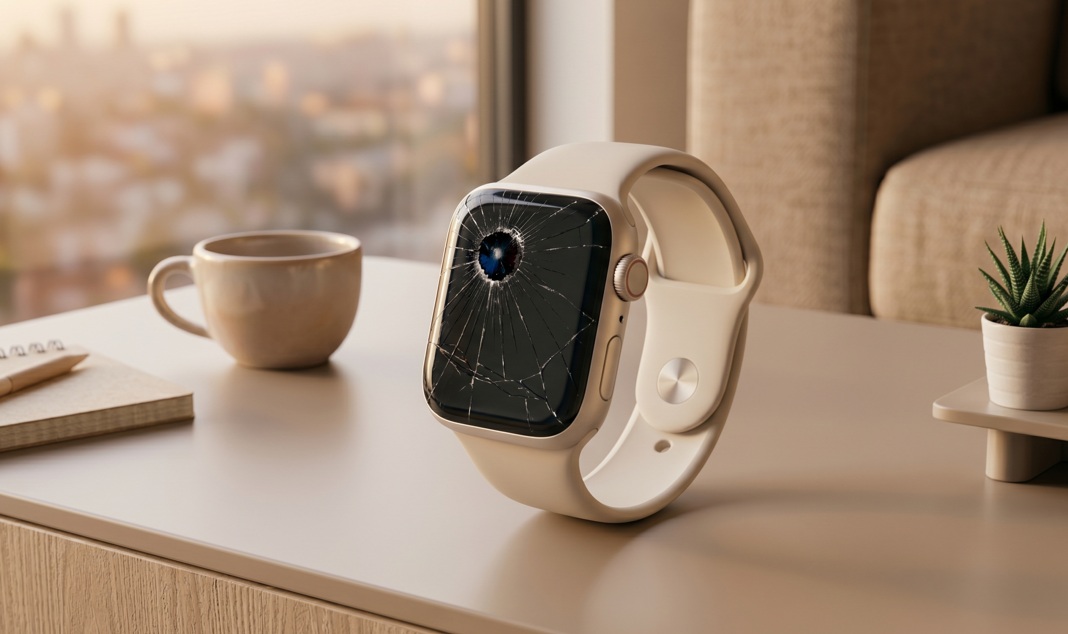
A cracked Apple Watch screen is not covered by standard warranty — only AppleCare+. Your repair options are Apple (most expensive), an authorized service provider, or a third-party shop. Small cracks are usually cosmetic and safe to use short-term, but they tend to spread.
What's in this guide
How Bad Is Your Crack, Really?
You bumped your wrist on a doorframe — classic — and now there's a thin white line across the face of your Apple Watch. You're not sure if you should panic or just ignore it. Here's the thing: the answer really depends on where the crack is and how deep it goes.
Surface scratches and micro-cracks on the Ion-X glass models (standard Series) are extremely common. The sapphire display on higher-end models is more scratch-resistant but actually more brittle under impact — so a sharp knock can still crack it. According to iFixit's teardown documentation, the display assembly on Apple Watch Series 8 uses an LOCA-bonded glass-to-digitizer construction[source], which means even a cosmetic crack can compromise the digitizer bonding underneath.
Damage Diagnosis Table
| Symptom | Likely Cause | Urgency |
|---|---|---|
| Thin hairline crack, no touch issues | Surface glass only, digitizer intact | Low — monitor it |
| Touch not responding in cracked area | Digitizer layer damaged | High — get repaired |
| Display shows dark spots or bleed | OLED panel cracked underneath | Urgent — display failing |
| Glass pieces lifting or missing | Structural failure | Urgent — skin/water risk |
| Crack appeared without impact | Heat expansion or band tension | Medium — unusual, check warranty |
What's Actually Happening to the Glass
Apple Watch glass isn't just one layer. There's the top glass (Ion-X or sapphire), the LOCA adhesive bonding it to the digitizer, and below that the OLED display panel. When you crack the top glass, the underlying layers may still be fine — for now.
The problem is stress distribution. A cracked glass concentrates force around the break point. The next impact — even a small one — doesn't spread evenly anymore. It goes straight to the crack. That's why hairline cracks have a habit of suddenly becoming catastrophic breaks. You didn't hit it harder the second time. The glass was just already compromised.
If touch still works perfectly and there are no dark spots, your digitizer and OLED are intact. The crack is cosmetic — serious enough to fix eventually, but not an emergency today.
Quick Steps to Take Right Now
Right After the Crack
Step 1: Don't get it wet. If your watch was water-resistant before, assume it no longer is. Even if the IP rating hasn't technically changed, cracks create entry points. Skip the swim.
Step 2: Apply a screen protector. A thin tempered glass protector won't fix the crack but it holds loose glass in place, prevents further chipping, and stops the crack from collecting dirt. You can get one for under $10.
Step 3: Note exactly what happened. If the crack appeared without any obvious impact, that's worth knowing before you contact Apple. Some hairline cracks qualify for a free repair under goodwill policy — especially on newer models.
If You Have AppleCare+
Check your coverage status at appleid.apple.com → Devices. AppleCare+ covers two incidents of accidental damage per 12 months, with a service fee. As of 2024, Apple charges a $79 service fee for Apple Watch screen repair under AppleCare+[source] — significantly less than out-of-warranty pricing.
Does your Apple Watch touch screen still respond normally in all areas?
Your Repair Options (With Real Costs)
Let's be honest about pricing here — Apple Watch repair isn't cheap, but your options vary more than people realize.
| Option | Cost Range | Turnaround | Notes |
|---|---|---|---|
| Apple Store (AppleCare+) | $79 service fee | Same day | Requires active AppleCare+ |
| Apple Store (out of warranty) | $149–$299 | Same day | Price depends on model/series |
| Apple Authorized Provider | Similar to Apple | 1–3 days | Uses genuine parts |
| Third-party repair shop | $60–$150 | 1–2 hours | Aftermarket parts, no Apple warranty |
| DIY repair kit | $25–$50 | Hours of your time | High risk, voids warranty |
According to Apple's official service pricing page, an out-of-warranty screen repair for Apple Watch Series 9 costs $299[source]. For older models that cost less originally, a third-party repair may be the smarter financial decision.
What Not to Do
1. Don't use super glue on the crack. It will contaminate the digitizer layer and fog the display — permanently.
2. Don't swim or shower with it. The IP rating is gone. Water ingress through a cracked display causes corrosion that's usually irreparable.
3. Don't press hard on the cracked area. You'll likely push the crack deeper into the digitizer layer.
4. Don't assume a thin crack will stay thin. Without a screen protector holding it together, small cracks spread — often suddenly.
5. Don't book a random repair shop without checking if they use genuine or compatible Apple Watch parts. Some shops use parts that fail within weeks.
When to Replace Instead of Repair
Sometimes the math doesn't favor repair. Here's when to consider just getting a new watch:
- Your watch is Series 4 or older — parts are scarce and shops may not stock them reliably
- The repair cost exceeds 60% of a refurbished replacement price
- The OLED panel is damaged — full display assembly replacements on older models often cost more than the watch is worth
- The watch body is also bent or warped — screen replacement won't fix structural damage
Check refurbished Apple Watch prices on Apple's official refurb store before committing to repair. A certified refurbished Series 8 can sometimes be found for less than a Series 9 screen repair.
What to Do — Step by Step
If You Only Do One Thing
Put a tempered glass screen protector on it today — right now, before you do anything else. It costs under $10, takes two minutes, and will prevent the crack from spreading, stop glass fragments from falling out, and buy you time to make a proper repair decision without urgency. A cracked Apple Watch that's protected is a manageable problem. One that isn't tends to become a much more expensive one.
People Also Ask
Standard AppleCare does not cover accidental damage. AppleCare+ covers two incidents of accidental damage per year, with a $79 service fee for screen damage.
Out-of-warranty repair at Apple ranges from $149 to $299 depending on the model. Third-party shops typically charge $60–$150 using compatible parts.
Yes, if touch still works and there are no dark spots, you can continue using it short-term. Apply a screen protector and avoid water until it's repaired.
Likely yes. Cracks concentrate mechanical stress, so subsequent impacts — even minor ones — tend to extend existing cracks rather than create new ones.