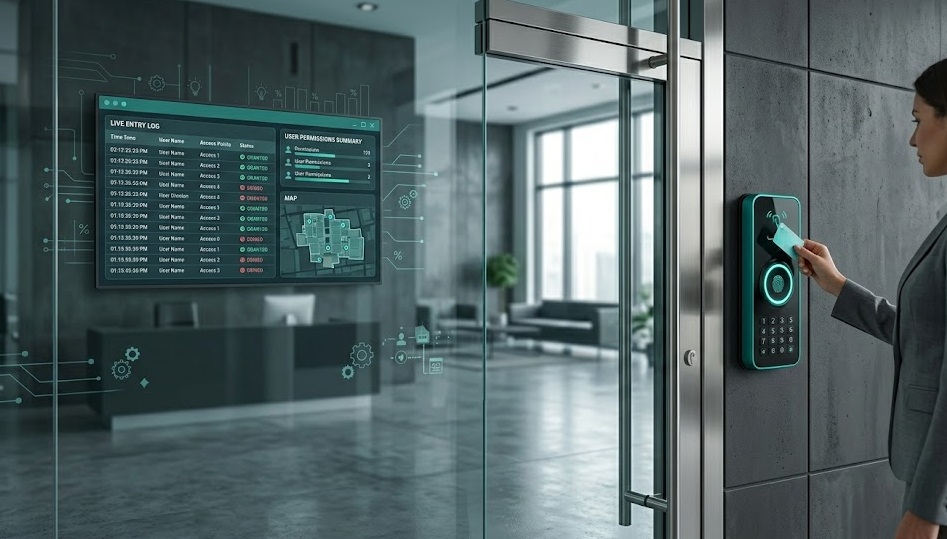
What's in this guide
What Is an Access Control System?
An access control system answers one question at every door: Should this person be allowed in?
It authenticates identity. It checks permissions. It grants or denies entry — automatically, in real time, with a complete audit log.
Before access control, security meant physical keys. One lost key meant rekeying every lock. No record of who entered when. No way to revoke access remotely.
Modern access control systems change all of that. Revoke a credential in seconds. See who entered which door at what time. Set different access levels for different employees — all from a single dashboard.
How It Works: The 3-Step Process
- Authentication — the person presents a credential: keycard, PIN, fingerprint, face scan, or mobile device.
- Authorization — the system checks if that credential has permission to access that specific door at that specific time.
- Action — the electric lock releases (or stays locked), and the event is logged.
The key difference from a simple lock: every entry attempt — successful or not — is recorded. That audit trail is what makes access control valuable for compliance and incident investigation.
The 4 Types of Access Control
Discretionary (DAC)
The owner decides who gets access. Flexible but hard to scale. Common in small offices where one person manages permissions manually.
Mandatory (MAC)
Access is set by a central authority based on clearance levels — not by the resource owner. Used in government and military environments. Maximum security, minimum flexibility.
Role-Based (RBAC)
Access is tied to job roles, not individuals. "All managers access the server room." Most common in commercial buildings. Easy to manage at scale.
Attribute-Based (ABAC)
Grants access based on multiple attributes: role + time of day + location + device type. Most granular and most complex. Growing fast in enterprise and healthcare.
For most businesses: RBAC is the right choice. It scales with headcount, integrates with HR systems, and keeps administration manageable.
Key Components of Every System
| Component | What it does | Example |
|---|---|---|
| Credential reader | Reads the identity token | Keycard reader, fingerprint scanner, NFC reader |
| Access controller | Processes authentication decision | Brivo, Verkada, Lenel panel |
| Electric lock | Physically releases or holds the door | Magnetic lock, electric strike, electrified deadbolt |
| Door sensor | Confirms door opened/closed | Magnetic contact sensor |
| Management software | Sets permissions, views audit log | Cloud dashboard or on-premise server |
| Power supply | Keeps the system running | PoE (Power over Ethernet) or dedicated supply |
How to Choose the Right System
Small Office (1–5 doors)
Cloud-based, subscription systems work best. No server to maintain. Remote management from any browser. Brivo, Kisi, and Openpath all target this segment.
Look for: easy credential issuance, mobile app entry, and integration with Google Workspace or Microsoft 365 for employee directory sync.
Mid-Size Business (5–50 doors)
RBAC becomes essential at this scale. You need time-based access rules (contractors can enter 9am–5pm only), department segmentation, and visitor management.
Cloud systems with on-premise controllers give you remote management plus resilience — the system keeps working even if internet goes down.
Enterprise or High-Security (50+ doors)
On-premise or hybrid systems with dedicated controllers. Multi-factor authentication at sensitive doors. Integration with video surveillance, HR systems, and SIEM platforms.
Lenel, Software House (C•CURE), and Genetec dominate this segment.
Cost Breakdown for 2026
| Scale | Hardware per door | Software / month | Total (5 doors, year 1) |
|---|---|---|---|
| Small (cloud SaaS) | $500–$1,200 | $30–$60 / door | ~$5,800–$9,600 |
| Mid (hybrid) | $1,200–$2,500 | $50–$100 / door | ~$9,000–$18,500 |
| Enterprise (on-prem) | $2,000–$5,000+ | Annual license | $15,000–$35,000+ |
Installation adds 20–40% to hardware cost. Factor in: cable runs, door hardware upgrades, and training.
Frequently Asked Questions
Secure Your Building. Simplify Your Operations.
Practical guides on security systems, smart locks, and building technology — no vendor spin, just what works.
Explore The Efficient Method