What's in this guide
The Two Types of Security Lock Apps
The term gets used for two completely different things. Know which one you need before you download anything.
App Locker
Locks individual apps on your phone with a PIN, pattern, or biometric. Prevents others from opening WhatsApp, banking apps, or photos when they pick up your phone. Works on the device itself.
Smart Lock Controller
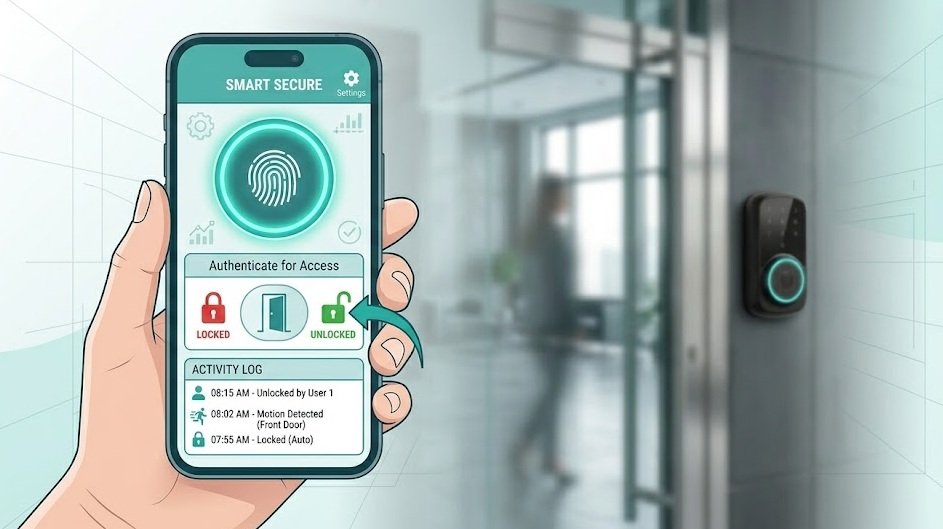
An app that controls a physical smart door lock. Lock/unlock your front door from anywhere, share access with guests, and view entry logs — all from your smartphone.
This guide covers both. Jump to the section that matches your need.
Best App Locker Apps in 2026
1. AppLock Pro — Most Feature-Rich
The most downloaded third-party app locker on Android. Locks individual apps behind fingerprint, face, PIN, or pattern.
Key features: intruder alert (takes a selfie of failed unlock attempts), stealth mode (hides the app icon), decoy vault (enter a secondary password to show harmless content), automatic re-lock when you exit an app.
Available: Android only. Price: Free with ads, ~$2.99/month for Pro (no ads, all features).
2. Norton App Lock — Most Trusted Brand
Built by a security company, not an ad-supported startup. Locks apps with PIN or biometric. No ads. Clean interface.
Lacks some advanced features (no decoy vault, no stealth mode) but what it does, it does reliably.
Available: Android. Price: Free.
3. Android Private Space (Built-In) — Most Secure
Available since Android 15 and improved in Android 17, Private Space creates a system-level isolated container on your phone.
Apps in Private Space are completely hidden from the main profile — not just locked, but invisible. They run in a separate user environment with separate accounts.
This is the most secure option because it operates at the OS level — no third-party app with its own permissions sitting between your data and the attacker.
iOS: Built-In Screen Time
iOS doesn't allow third-party app lockers the way Android does. Apple's Screen Time — combined with a separate Screen Time PIN — is the best app locking option on iPhone.
It restricts app access, sets time limits, and hides apps entirely. Not as flexible as Android options, but it works within Apple's security model without requiring dangerous accessibility permissions.
Android 17 Built-In Security Features in 2026
Android 17 (released in 2026) adds several security improvements that reduce the need for third-party lock apps:
- Theft Detection Lock — automatically locks the phone if sudden movement consistent with a grab-and-run is detected.
- Offline Device Lock — locks automatically if the phone is offline for an extended period (anti-theft).
- Stronger PIN lockout — limits failed attempt count with increasing delays. Harder for attackers to brute-force your PIN.
- Improved Private Space — faster access, better notification hiding, biometric unlock separate from main profile.
- Permission auto-revocation — apps unused for 90+ days lose sensitive permissions automatically.
These system-level improvements are more reliable than third-party app lockers for most users. Update to Android 17 before installing any additional security app.
Best Smart Door Lock Apps
These are apps that control physical smart locks — your front door, office, or storage unit.
August App
Controls August smart locks. Auto-unlock as you arrive, DoorSense open/close detection, guest access with time limits. Works with Apple Home and Alexa. iOS + Android.
Schlage Home
Controls Schlage Encode and Encode Plus locks. Built-in Wi-Fi — no hub needed. Apple Home, Alexa, and Google Home integration. Best ecosystem compatibility.
Ultraloq
Controls Ultraloq smart locks. Supports fingerprint, auto-unlock, shake-to-open, and timed guest codes. Clean UI, reliable Bluetooth connection. iOS + Android.
Yale Access
Controls Yale Assure locks. Activity log, unlimited virtual keys, guest access with schedules. Works with August (same parent company) for shared ecosystem features.
Feature Comparison: App Lockers vs Smart Lock Apps
| Feature | App Locker | Smart Lock App |
|---|---|---|
| What it secures | Apps on your phone | Physical door locks |
| Works offline | Yes | Bluetooth only; Wi-Fi needed for remote |
| Requires hardware | No | Yes (smart lock device) |
| Remote control | N/A | Yes (Wi-Fi locks) |
| Guest access | No | Yes (time-limited codes) |
| Audit log | Intruder selfies only | Full entry log with timestamps |
| iOS support | Limited (Screen Time only) | Full (all major brands) |
| Cost | Free–$3/month | Free app, $89–$299 hardware |
Frequently Asked Questions
Protect What Matters
Practical guides on mobile security, smart locks, and privacy tools — straight to the point.
Explore The Efficient Method